
领先一步
VMware 提供培训和认证,助您加速进步。
了解更多自从我们 宣布 SpringSource Slices 以来,许多用户和客户询问有关使用 Slices 使其网站的样式和品牌可插拔的问题。在本文中,我将演示使用 Slices 来实现这一目标的简便性。
<html>
	<head>
		<title>SpringSource Slices Pluggable Styling Demonstration</title>
		<link rel="StyleSheet" href="styles/main.css" type="text/css" />
	</head>
	<body>
		<div class="header">
			<div class="title">SpringSource Slices</div>
			<div class="subtitle">Pluggable Styling Demonstration</div>
		</div>
	</body>
</html>
正如您所见,它正在寻找一个名为 styles/main.css 的 CSS 文件。如果没有 Slice,这个文件就不存在。将 war 部署到 dm Server 显示页面没有样式
cp styled.host.war ~/springsource-dm-server-2.0.0.CI-B297/pickup/
[2009-07-10 15:20:46.183] fs-watcher <SPDE0048I> Processing 'CREATED' event for file 'styled.host.war'.
[2009-07-10 15:20:46.525] fs-watcher <SPDE0010I> Deployment of 'styled.host' version '1.0.0' completed.
[2009-07-10 15:20:46.539] Thread-19  <SPWE0000I> Starting web bundle '/styling'.
[2009-07-10 15:20:46.965] Thread-19  <SPWE0001I> Started web bundle '/styling'.
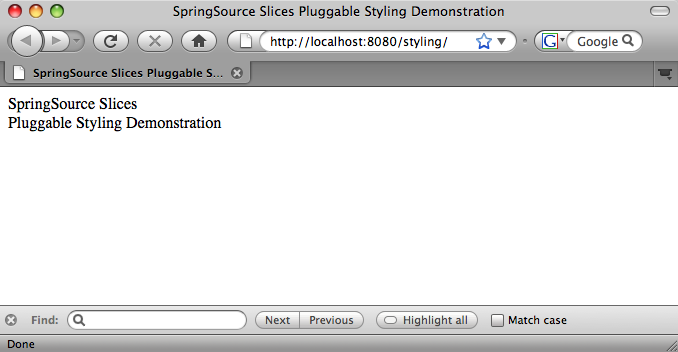
通过部署一个指定样式化宿主 war 作为其宿主并提供所需样式表的 Slice,可以轻松地对页面进行样式化
cp plain.style.slice.war ~/springsource-dm-server-2.0.0.CI-B297/pickup/
[2009-07-10 15:28:30.699] fs-watcher <SPDE0048I> Processing 'CREATED' event for file 'plain.style.slice.war'.
[2009-07-10 15:28:30.789] fs-watcher <SPDE0010I> Deployment of 'plain.style.slice' version '1.0.0' completed.
现在如果我们查看页面,它的外观已经改变,这要归功于 Slice 提供的样式
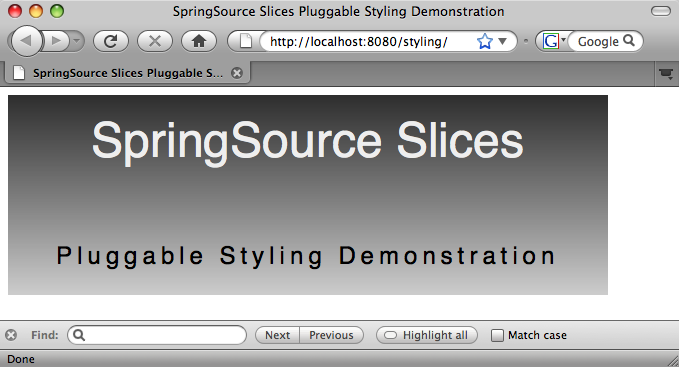
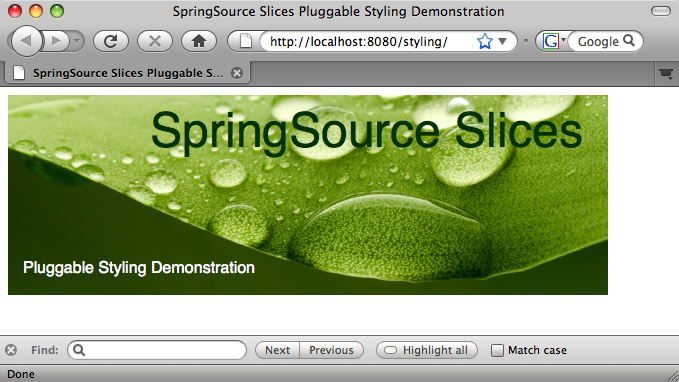
请注意,无需重新部署或修改 Host war 文件,当 Slice 部署时,Host 会立即采用新的样式。同样,如果我们现在取消部署样式 Slice,Host 将恢复到我们之前看到的未样式化的外观。或者,我们可以更进一步,移除这个样式 Slice 并部署另一个来更改样式,同样无需重新部署或修改 Host
rm ~/springsource-dm-server-2.0.0.CI-B297/pickup/plain.style.slice.war
cp green.style.slice.war ~/springsource-dm-server-2.0.0.CI-B297/pickup/
[2009-07-10 15:34:48.948] fs-watcher <SPDE0048I> Processing 'DELETED' event for file 'plain.style.slice.war'.
[2009-07-10 15:34:49.038] fs-watcher <SPDE0012I> Undeployment of 'plain.style.slice' version '1.0.0' completed.
[2009-07-10 15:36:01.064] fs-watcher <SPDE0048I> Processing 'CREATED' event for file 'green.style.slice.war'.
[2009-07-10 15:36:01.146] fs-watcher <SPDE0010I> Deployment of 'green.style.slice' version '1.0.0' completed.
<web-app version="2.5" xmlns="http://java.sun.com/xml/ns/javaee"
    xmlns:xsi="http://www.w3.org/2001/XMLSchema-instance"
    xsi:schemaLocation="http://java.sun.com/xml/ns/javaee http://java.sun.com/xml/ns/javaee/web-app_2_5.xsd">

    <filter>
        <filter-name>host-filter</filter-name>
        <filter-class>com.springsource.osgi.slices.core.SliceHostFilter</filter-class>
    </filter>

    <filter-mapping>
        <filter-name>host-filter</filter-name>
        <url-pattern>/*</url-pattern>
    </filter-mapping>
</web-app>
此 Filter 会将任何与宿主的任何 Slice 匹配的路径的请求路由到匹配的 Slice。如果找不到匹配的 Slice,请求将直接传递给宿主。
正如我们在上面的 index.html 文件中看到的,宿主正在 /styles 目录中查找其所有样式,但实际上并不自己提供此内容。
Manifest-Version: 1.0
Bundle-SymbolicName: green.style.slice
Bundle-Version: 1.0
Bundle-ManifestVersion: 2
Bundle-Name: Styling Slice
Slice-Host: styled.host;version="[1.0, 2.0)"
Slice-ContextPath: /styles
这里的关键是配置的上下文路径 /styles 与宿主查找样式的目录匹配。这意味着,当 Slice 部署时,宿主中的过滤器会将对 /styles 的请求路由到 Slice。剩下的就是样式 Slice 包含样式化宿主所需的任何资源。在本例中,它是 main.css 文件,宿主在其 index.html 中引用了它,以及一个从 CSS 引用的图片

上面使用的 war 文件的源代码可在 Slices Git 存储库 (git://git.springsource.org/slices/slices.git) 的 samples/pluggable-styling 目录中找到。另外,请查看 Rob 的 公告博客,其中包含有关如何构建 Slices 并将其安装到 dm Server 的详细信息。